I recently used the Fractal Focus G case for a new computer build, and I wanted to share my experiences with it. I'll go over the good, the bad, and everything in between.
 |
| The Fractal Focus G with its box. |
The Fractal Focus G is a budget-friendly case that still offers a decent number of features. It comes with a 2-year warranty, which I actually ended up needing (more on that later). Even at MSRP, it's inexpensive, and I managed to buy it around "Black Friday" for even less.
 |
| I didn't end up using the fans included with the case. So I don't have comments about them at this point in time. |
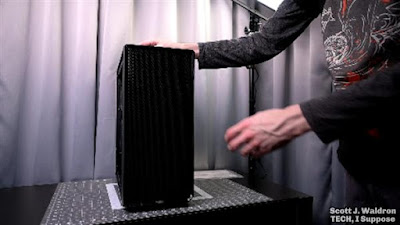 |
| The case looks clean from the front. |
Important specifications:
- Motherboard Support: ATX, Micro ATX, ITX
- Power Supply: Standard ATX (Maximum length: 230mm)
- GPU Length: Up to 380mm
- CPU Cooler Height: Up to 165mm
- Included Fans: Two (I swapped these out)
- Drive Bays: Two internal 3.5-inch/2.5-inch, one dedicated 2.5-inch, two external 5.25-inch.
The Good Stuff
I appreciate its classic aesthetic with the front expansion bays. It definitely doesn't use the thickest materials, but given the price point, the build quality feels reasonable. I' suggest being careful with the captive panel screws, because I think I might have stripped one a bit. With the panels removed while working on it, the case maintained decent structural rigidity, although it did have a bit of flex.
 |
| The expansion slot covers. |
The PCI slot covers I found to be decent quality. Compared to some of my cases through the years that were one time removal cutouts, they are a lot nicer.
I was particularly glad that I didn't cut myself during the build! Usually, I end up with a few scratches or micro cuts from metal edges, but this case seemed to have every important edge smoothed over.
It also provides flexible storage options:
- Internal removable 3.5-inch bay for two drives (also fits 2.5-inch SSDs).
- Dedicated rear 2.5-inch SSD mount.
- Two external 5.25-inch bays (I used these for a card reader and Blu-ray drive).
It's been a long time since I've had a case with 5.25" expansion bays. It's really cool to have those again!
 |
| Blu-Ray drive being installed. |
The Quirks
No case is perfect, and the Focus G has its share of quirks. The side window is plastic that is very easily scratchable. I would have preferred some type of mesh side panel, and also the side panels are not flat.
 |
| The clear side panel. |
The dust filters are also difficult to remove for cleaning. The front panel filter seems to be non-removable, requiring vacuuming, and the bottom filter is held on by metal tabs.
 |
| Bottom of the case with the filter. |
The top fan mounts are somewhat limited. One is obstructed if you use an external drive in the top bay, and the front fans use long screws that made it more difficult to change out.
 |
| Top of the case with the filters removed. |
Additionally, there's not much airflow to the rear 2.5-inch SSD mount, so you probably don't want to put anything that generates significant heat in that location.
There also isn't much space between a full ATX motherboard and the PSU or top-mounted fans. You'll need to plan cable routing carefully.
The Build Process
The case was missing a motherboard standoff. Luckily, I had one to replace it with that appears to be the same height. The biggest issue I had was with the front panel USB 3.0 header. It was incredibly difficult to remove from the motherboard when I attached it once, and I ended up destroying the connector.
 |
| Damaged USB 3 connector. |
Thankfully, Fractal's support was solid, and they sent me a replacement promptly. Even so, be very careful with that connector. I ended up using a USB 3.0 to 3.1 extension to avoid the problem in the future. That way I don't have to directly connect the case's header to the motherboard directly.
Replacing the front panel port assembly was straightforward. You remove two screws, detach the cables, and the whole unit comes out. It’s all one piece, making it very easy to swap.
 |
| Finishing up the build. |
Final Thoughts
The Fractal Focus G is a case to consider for an extreme budget build. You get decent support, reasonable quality (not including the USB header, of course... I'd suggest using an adapter of some type with it), and good functionality for the price. The external drive bays were a major selling point for me, and the case fulfilled my goal to get a dedicated and fast memory card reader into the PC. I give it a "not bad" rating, with a thumbs up for Fractal's customer service.
Learn more or purchase the case through my links:
- B&H Photo Video: https://bhpho.to/4iAjPJZ
- Amazon: https://amzn.to/4hq0n1F
- ebay: https://ebay.us/8IwiCA
Check out the video on YouTube for the full review.